What Is a Point Cloud File (E57/OBJ) and How Is It Used?
Blogs
What Is a Point Cloud Used For?
Have you ever wondered how architects create a perfectly accurate 3D model of an existing building? The answer often lies in point cloud data. This technology has transformed 3D modeling by providing a precise and data-rich representation of real-world objects and spaces. Point clouds are created through advanced laser scanning techniques that capture millions of data points, each with its own position in a 3D coordinate system. These points come together to form a detailed digital replica of a physical environment. This process bridges the gap between the physical and virtual worlds, enabling incredible accuracy in design, analysis, and visualization for various applications.
Exceptional Accuracy
Significant Time Savings
Cost Efficiency Throughout the Project Lifecycle
Detailed As-Built Documentation for Every Stage
Streamlined Project Planning and Coordination
Enhanced Visualizations for Clients and Stakeholders
Improved Safety by Minimizing On-Site Risks
Effective Space Utilization Analysis
Reduced Risk of Human Error in Surveying
Understanding Point Cloud Files
At its core, a point cloud file is a digital representation of a physical object or space. Imagine it as a massive collection of data points, where each point marks a specific location in three-dimensional space. This point cloud technology captures the exact shape and geometry of a scanned environment, from large buildings to intricate machinery.
By gathering these individual points, you can create a highly accurate 3D model of the real world. This data serves as the foundation for a wide range of applications, allowing professionals to visualize, measure, and analyze physical assets without being on-site. The following sections will explore what a point cloud is, how it works, and the common file formats used to store this valuable information.
What Is a Point Cloud and How Does It Work?
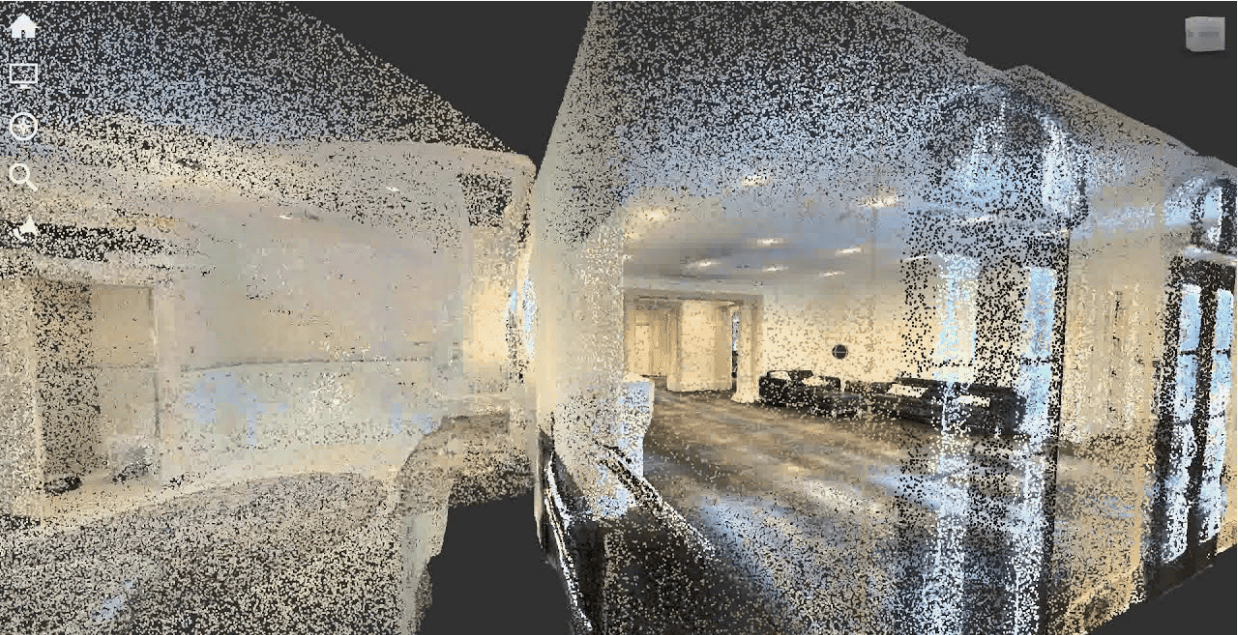
So, what exactly is a point cloud file and how is it created? A point cloud is essentially a large set of vertices in a three-dimensional coordinate system. These points are defined by their XYZ coordinates, which represent their precise location in space. When combined, these millions or even billions of points form a detailed, 3D digital image of a scanned object or area. It’s like creating a digital sculpture made of countless tiny dots.
The creation of point cloud data typically involves using 3D laser scanners or photogrammetry. Laser scanners, which use LiDAR (Light Detection and Ranging) technology, emit laser beams that bounce off surfaces. The scanner measures the time it takes for the laser to return, calculating the distance and creating a data point. This process is repeated millions of time from various angles to capture a complete picture. Photogrammetry, on the other hand, uses high-resolution digital cameras to take overlapping photos of an object, and specialized software processes these images to generate a 3D model.
Once the scan data is collected, it is processed and registered. This means the individual scans are stitched together to form a single, cohesive point cloud. This final dataset provides powerful spatial data that can be used for analysis, design, and visualization. The density of the points determines the level of detail in the final model, with more points allowing for a more accurate and realistic representation.
The Role of E57 and OBJ Formats in 3D Modeling
When working with point cloud data, the file format you choose is crucial. E57 and OBJ are two popular point cloud file formats, but they serve different purposes in 3D modeling. The main difference between E57 and OBJ point cloud file formats lies in the type and amount of data they can store. E57 is a robust, vendor-neutral format designed specifically for 3D imaging systems and is ideal for storing raw scan data.
E57 files are highly valued because they can hold more than just geometric data. They store a combination of binary and XML information, which includes color (RGB values), intensity, and important metadata from the scanner. This makes the E57 file format perfect for professional workflows where precision and comprehensive data are essential, such as in architecture and construction. It acts as a digital archive of the scanned environment.
In contrast, the OBJ file format is much simpler. Developed by Wavefront Technologies, it is a text-based format that primarily stores 3D geometry, like points, lines, and polygons. While widely compatible with almost all 3D graphics software, OBJ files do not support complex data like animations or the rich metadata found in E57 files. This makes them suitable for exchanging static models and for use in 3D printing, but less ideal for the initial stages of point cloud modeling where detailed scan data is needed.
Key Features of Point Cloud Data
Point cloud data is rich with information that goes far beyond simple geometry. The defining feature is the massive number of points, which can range from millions to billions. This high density is what allows for the creation of incredibly detailed and accurate 3D representations of real-world objects and environments. Each point in the cloud contains specific attributes that add layers of valuable information.
The spatial data is the foundation, with each point having X, Y, and Z coordinates that position it in 3D space. Beyond location, many point clouds include color information. This is captured as RGB values, which assign a real-world color to each point, creating a photorealistic model often called an RGB point cloud. This feature is invaluable for visualization and helps distinguish between different materials and surfaces.
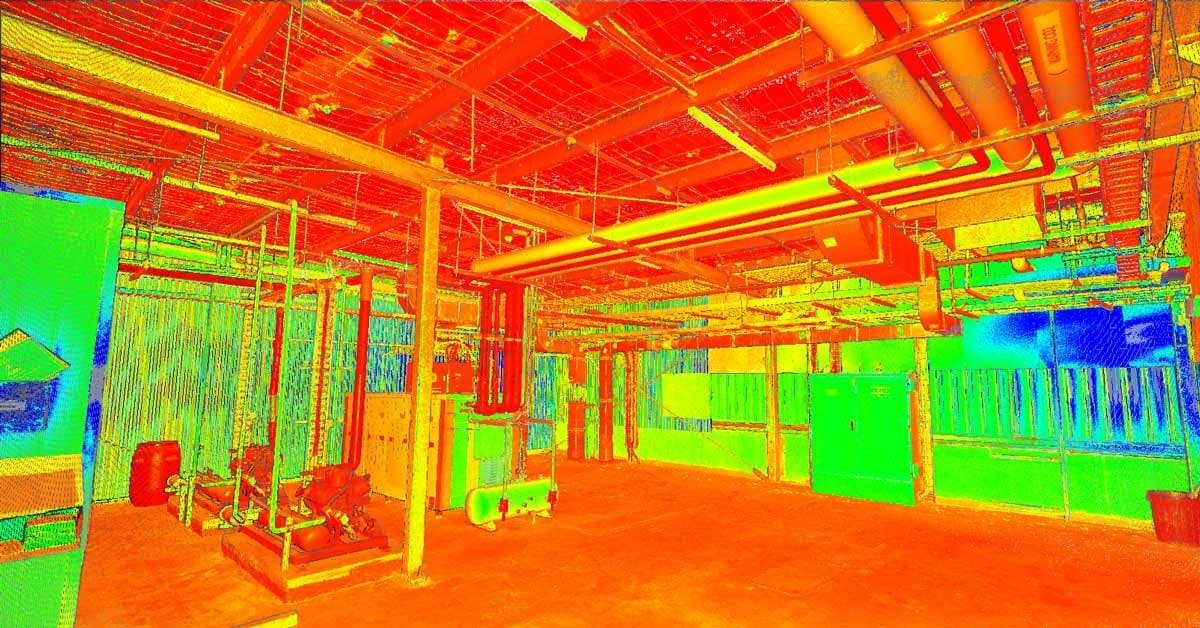
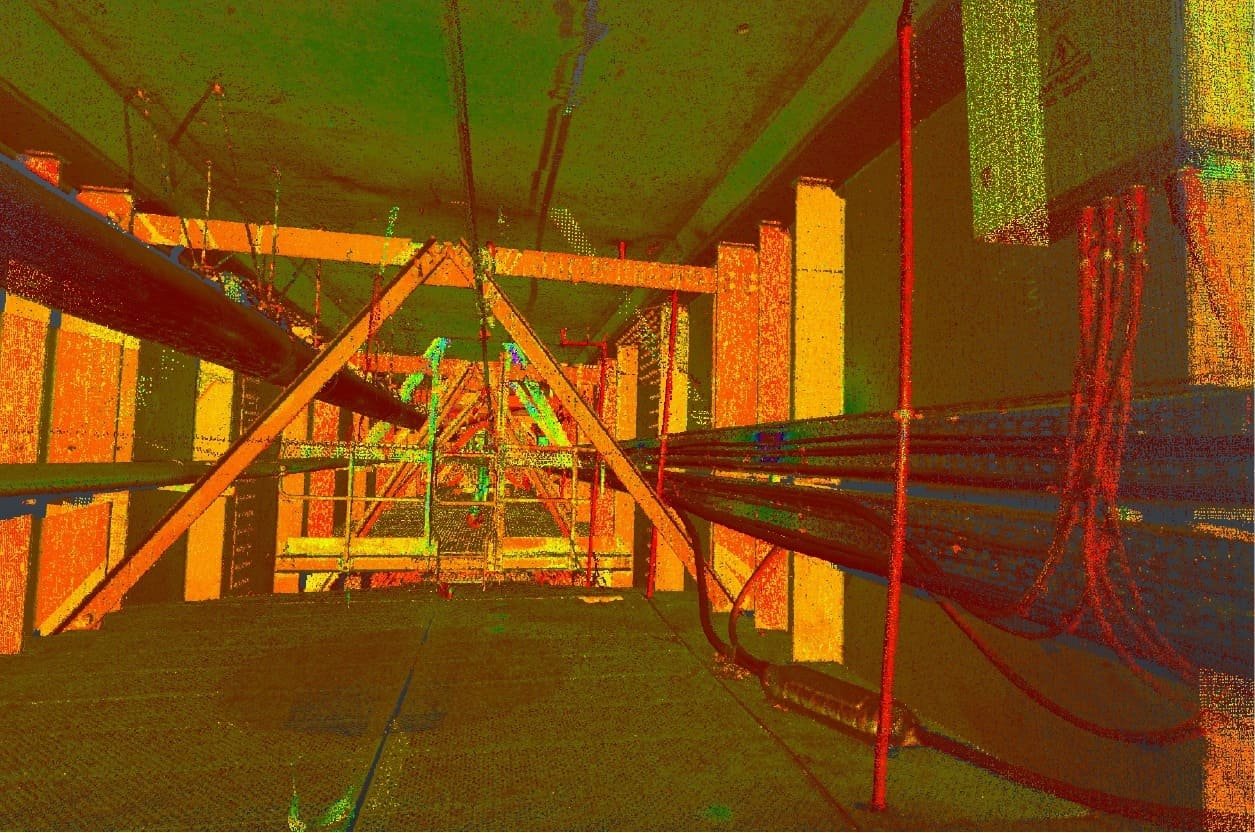
Additionally, point cloud files often store intensity values. This represents the return strength of the laser pulse that was used to capture the point. Intensity can help differentiate between materials with different reflective properties. Key features often include:
XYZ Coordinates: The fundamental spatial data for every point.
RGB Values: Color information that adds photorealistic detail to the model.
Intensity Values: Data on the reflectivity of surfaces, useful for material differentiation.
Classification: Some formats allow points to be classified (e.g., as ground, vegetation, or building).
Common File Formats for Point Cloud Data
Choosing the right file format is essential for managing and using point cloud data effectively. There are numerous point cloud file formats available, each with its own strengths and weaknesses. Some formats are designed for specific types of data capture, like the LAS file format, which is standard for aerial LiDAR survey data. Others are more general-purpose.
The data format can be either text-based (ASCII) or a binary format. ASCII formats like XYZ are simple and easy to read but result in very large files. Binary formats, on the other hand, are more compact and faster to process, making them better suited for the massive datasets typical of point clouds. In the next sections, we will explore two of the most popular formats, E57 and OBJ, in more detail.
Overview of E57 Point Cloud File
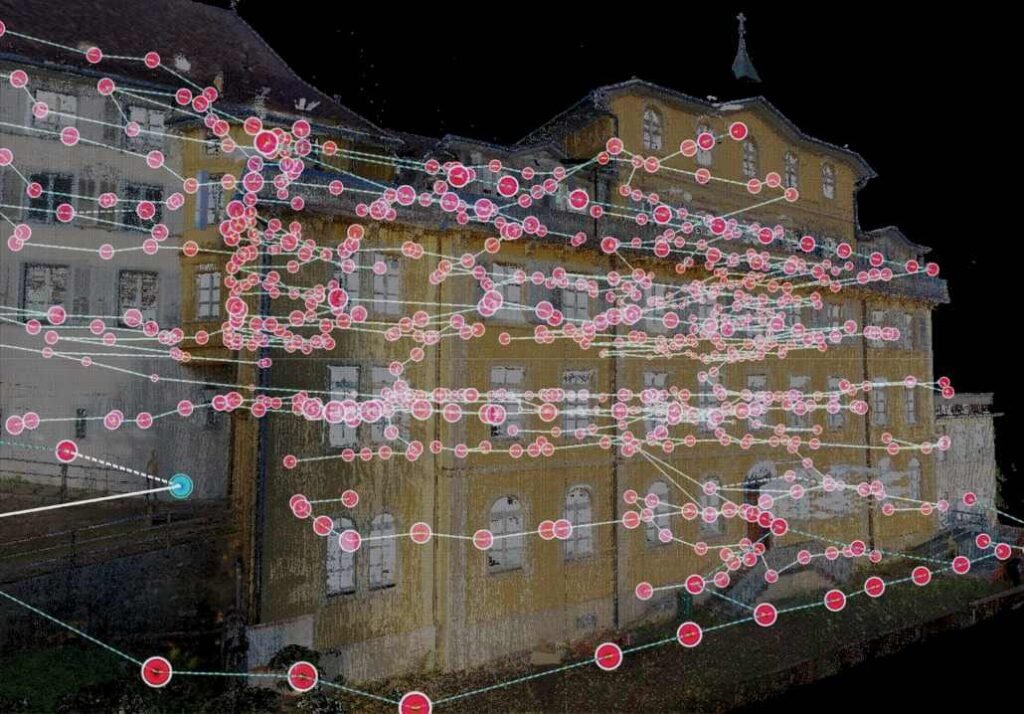
The E57 file format is a modern, vendor-neutral standard for storing point cloud data and images from 3D imaging systems like laser scanners. Its design makes it one of the most versatile and comprehensive formats available. One of the key advantages of the E57 format is its ability to store a wide range of data in a single, organized file.
What sets E57 apart is its capacity to hold more than just the basic X, Y, and Z coordinates. An E57 file can contain color data (RGB), intensity values from the laser return, and extensive metadata. This metadata can include scanner location, timestamps, and sensor information, providing a complete record of the data capture process. This richness of information is why it’s a preferred format for professional applications in industries like construction and engineering.
Furthermore, the E57 file format uses a combination of binary and XML structures. It supports compression, which helps manage the often-massive file sizes associated with high-density point clouds without losing critical data. This compact yet comprehensive nature makes E57 an excellent choice for archiving and exchanging complete scan projects between different software applications, ensuring data integrity is maintained throughout the workflow.
Overview of OBJ Point Cloud File
The OBJ file format, created by Wavefront Technologies, is one of the most widely recognized formats in the world of 3D graphics. It is a simple, text-based ASCII format designed to store information about the geometry of 3D objects. This includes not only point data (vertices) but also lines, polygons, and other geometric shapes that define a model’s surface.
Because of its simplicity and text-based nature, the OBJ file format is incredibly versatile and supported by nearly all 3D modeling and graphics software. This makes it a great universal format for transferring static 3D models between different programs. While it can store basic color information, this is often saved in a separate material file (.mtl) that is linked to the main OBJ file.
However, the simplicity of the OBJ format comes with limitations. It does not support complex data such as animations, rigging, or the rich metadata and intensity values found in formats like E57. Since OBJ files are uncompressed, they can also become very large when dealing with high-density point clouds. Its primary strength lies in representing the final geometric shape of a model rather than storing raw scan data.
Differences Between E57 and OBJ Formats
The primary differences between the E57 and OBJ file formats stem from their intended purposes. E57 is a comprehensive data format designed to archive raw data from 3D scanners, while OBJ is a simpler format for exchanging 3D model geometry. This core distinction influences everything from the type of information they can store to their file size.
E57 excels at storing a wealth of additional information beyond basic geometry. It includes color, intensity, and critical metadata about the scanning process. This makes it ideal for professional workflows where data accuracy and completeness are paramount. In contrast, OBJ focuses solely on the geometric structure of a model and has very limited support for anything beyond vertex coordinates and basic texture mapping.
Another key difference is compression. E57 files support internal compression, which is crucial for managing the large datasets generated by modern scanners. OBJ files are typically uncompressed ASCII text, which can lead to significantly larger file sizes for the same amount of point data. The choice between them depends on your needs: E57 for comprehensive raw data and OBJ for simple, universal geometry exchange.
Feature | E57 Format | OBJ Format |
|---|---|---|
Primary Use | Storing raw scan data and 3D imagery | Exchanging 3D model geometry |
Data Type | Binary and XML | ASCII (text-based) |
Stored Information | XYZ, color, intensity, metadata, timestamps | XYZ, polygons, basic color (via .mtl) |
Compression | Supported (lossless and lossy) | Not supported (uncompressed) |
File Size | More compact for large datasets | Can be very large |
Compatibility | Good among professional scanning software | Excellent, universally supported |
Information Stored Inside Point Cloud Files
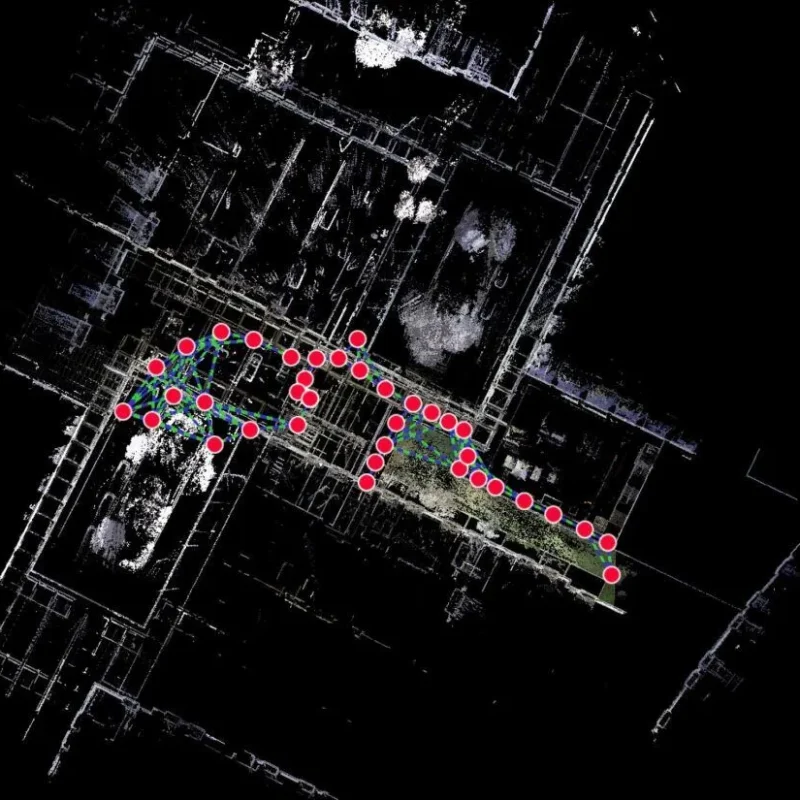
Point cloud files are much more than just a collection of dots; they are a rich source of detailed information. The most fundamental data stored is the spatial data, which consists of the X, Y, and Z coordinates for every single point. This is what gives the cloud its three-dimensional shape and structure.
Beyond location, these files often contain color data (RGB values) that give the model a photorealistic appearance. Many formats also include intensity values, which measure the strength of the laser return signal, and extensive metadata. This metadata can include sensor information, GPS coordinates, and timestamps from the scan. The following sections will provide a deeper look into the specific types of information you can find within a point cloud file.
Spatial Coordinates and Color Data
The most critical information stored within any point cloud file is the spatial coordinates. Each point in the cloud is defined by a set of XYZ coordinates, which pinpoints its exact location in three-dimensional space. This collection of coordinates forms the digital skeleton of the scanned object or environment. The accuracy of these coordinates is paramount, as it directly impacts the precision of any measurements or models derived from the scan data.
In addition to coordinates, many point cloud files, especially formats like E57, store detailed color data. This information is captured as RGB values for each individual point. During the scanning process, a digital camera integrated with the laser scanner captures a photo of the scene. The software then maps the color details from the photograph onto the corresponding points in the point cloud.
The result is a colorized or RGB point cloud that looks incredibly realistic, much like a 3D photograph. This color information is not just for aesthetics; it provides crucial context. For architects, engineers, and designers, the color details help in identifying different materials, understanding existing conditions, and creating more compelling visualizations for clients. It transforms a simple geometric model into a vivid digital replica of the real world.
Metadata and Sensor Information
Beyond geometry and color, point cloud files like E57 can store a vast amount of metadata. This “data about data” provides essential context about how, when, and where the point cloud was captured. This additional information is invaluable for verifying the accuracy and integrity of the scan data and for project management purposes.
The sensor information is a critical piece of metadata. This includes details about the specific equipment used for the scan, such as the model of the LiDAR scanner, its calibration settings, and its orientation during each 3D scan. For projects requiring high precision, knowing the specifications of the sensor is crucial for understanding potential limitations or sources of error in the data.
Furthermore, many scans include location data from a Global Positioning System (GPS). This information geo-references the point cloud, placing it in a real-world coordinate system. Timestamps for each scan are also often included, creating a chronological record of the data capture process. This metadata transforms the point cloud from a simple 3D model into a comprehensive digital record of a site at a specific moment in time.
Compression and File Size Considerations
Point cloud data is captured with laser scanners or cameras and then processed into a cohesive model. However, a major challenge when working with this scan data is managing file size. A single project can generate billions of data points, resulting in large datasets that can be difficult to store, transfer, and work with. This is where compression becomes essential.
File formats that use a binary format, like E57, are inherently more compact than text-based formats. More importantly, they often include built-in compression algorithms. This allows the file size to be significantly reduced without sacrificing the quality or accuracy of the data. Lossless compression ensures that no information is lost, while lossy compression can be used to further reduce size if some minor data loss is acceptable.
Effectively managing file size is crucial for an efficient workflow. When dealing with large datasets, consider the following:
Choose a compressed format: Use formats like E57 or LAZ (a compressed version of LAS) to keep file sizes manageable.
Decimate the data: If a lower level of detail is acceptable for a specific task, you can reduce the number of points in the cloud.
Break up large projects: Splitting a large scan into smaller, more manageable files can improve software performance.
Use cloud-based solutions: Storing and processing data in the cloud can help overcome hardware limitations on a local machine.
Frequently Asked Questions
Are there free sample point cloud files available for beginners?
Why are point cloud files important for precise 3D digitization?
Quick Links
Address:
FDBC3676
Compass Building,
Al Shohada Road,
AL Hamra Industrial Zone-FZ,
Ras Al Khaimah, United Arab Emirates
Contact:
+971 58 599 6983
info@3deex.ae